
Domains
Add domains up to your plan limit, set the prompts for each, and pause a domain to free its slot.
Product
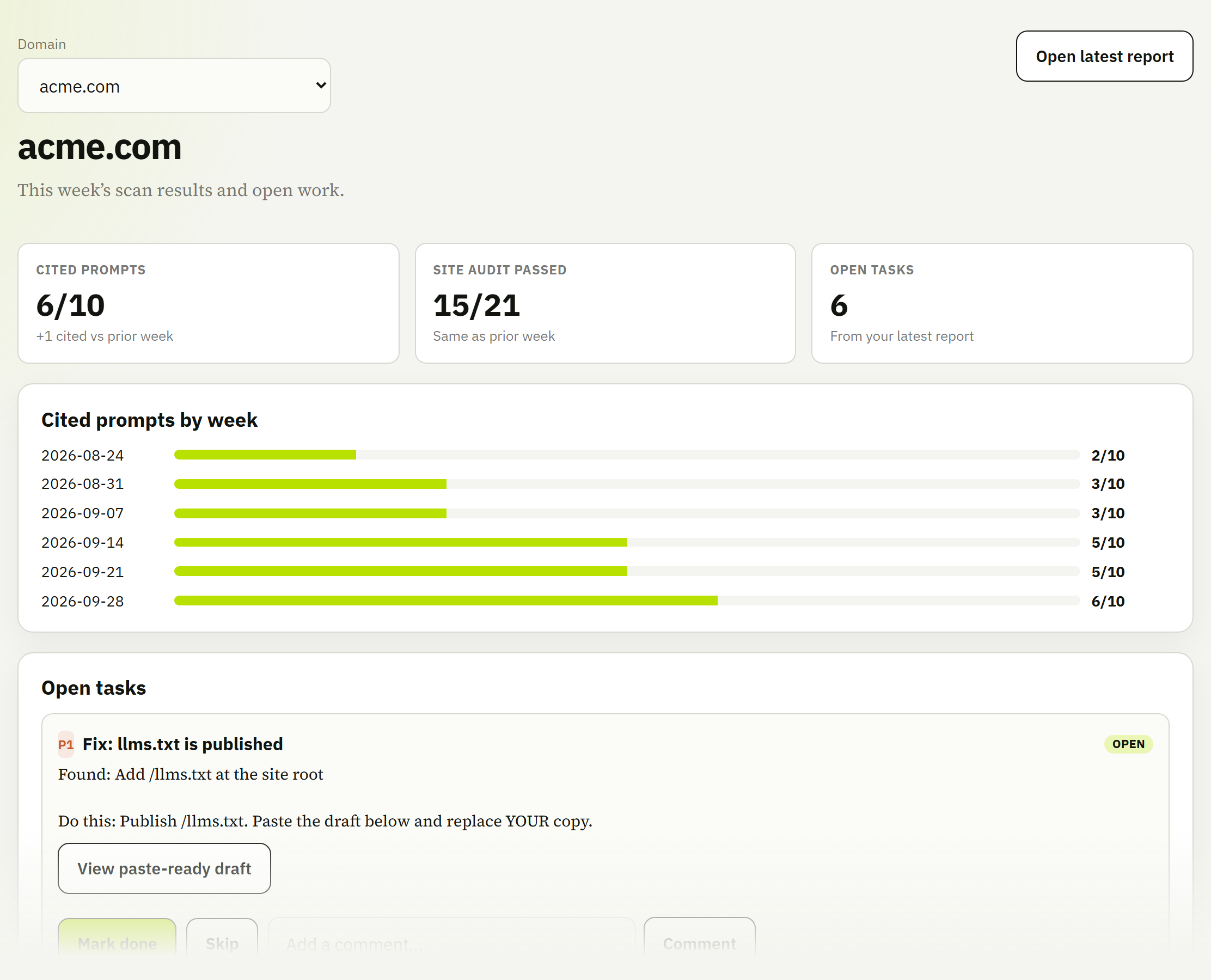
Home shows what moved this week. Site audit shows whether
crawlers can read you. Prompt results show whether answer engines name
you. Tasks turn both into a short list of things to ship. Screenshots below
are from a demo workspace with sample data for acme.com.
The screen you open each week. It shows the latest numbers for the domain you've selected, compared with the week before.
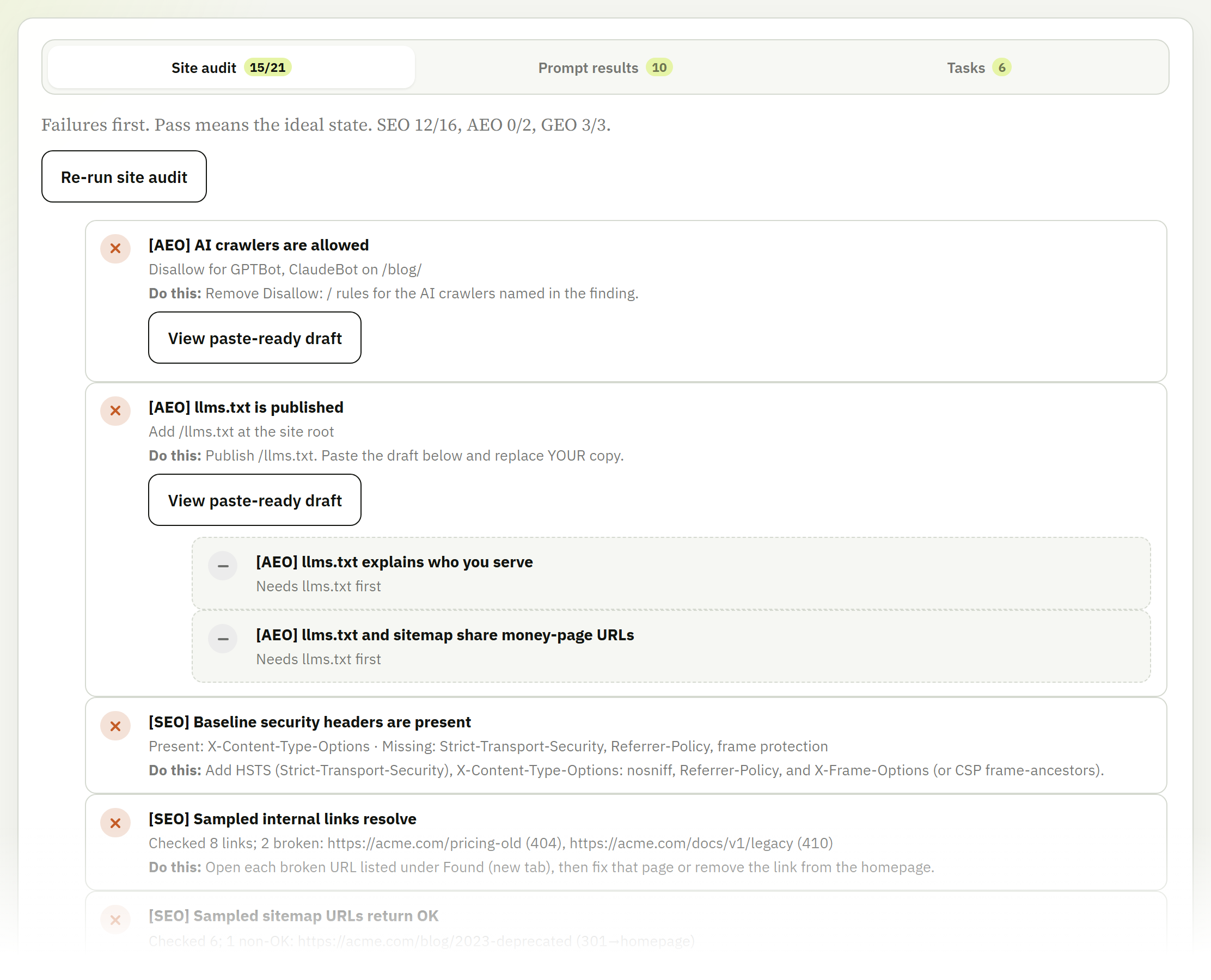
About 40 pass/fail checks across crawl access, indexability, sitemap and llms.txt, readable HTML, structured data, and on-page basics. Failures are listed first.
Each failure says what we found and what to do. For files like robots.txt
and llms.txt there's a paste-ready draft. After you ship a fix, re-run the
audit right away instead of waiting a week.
Checks that can't run yet are grouped under the check that blocks them. If there's no
llms.txt, you get one task to publish it, not four tasks about its contents.
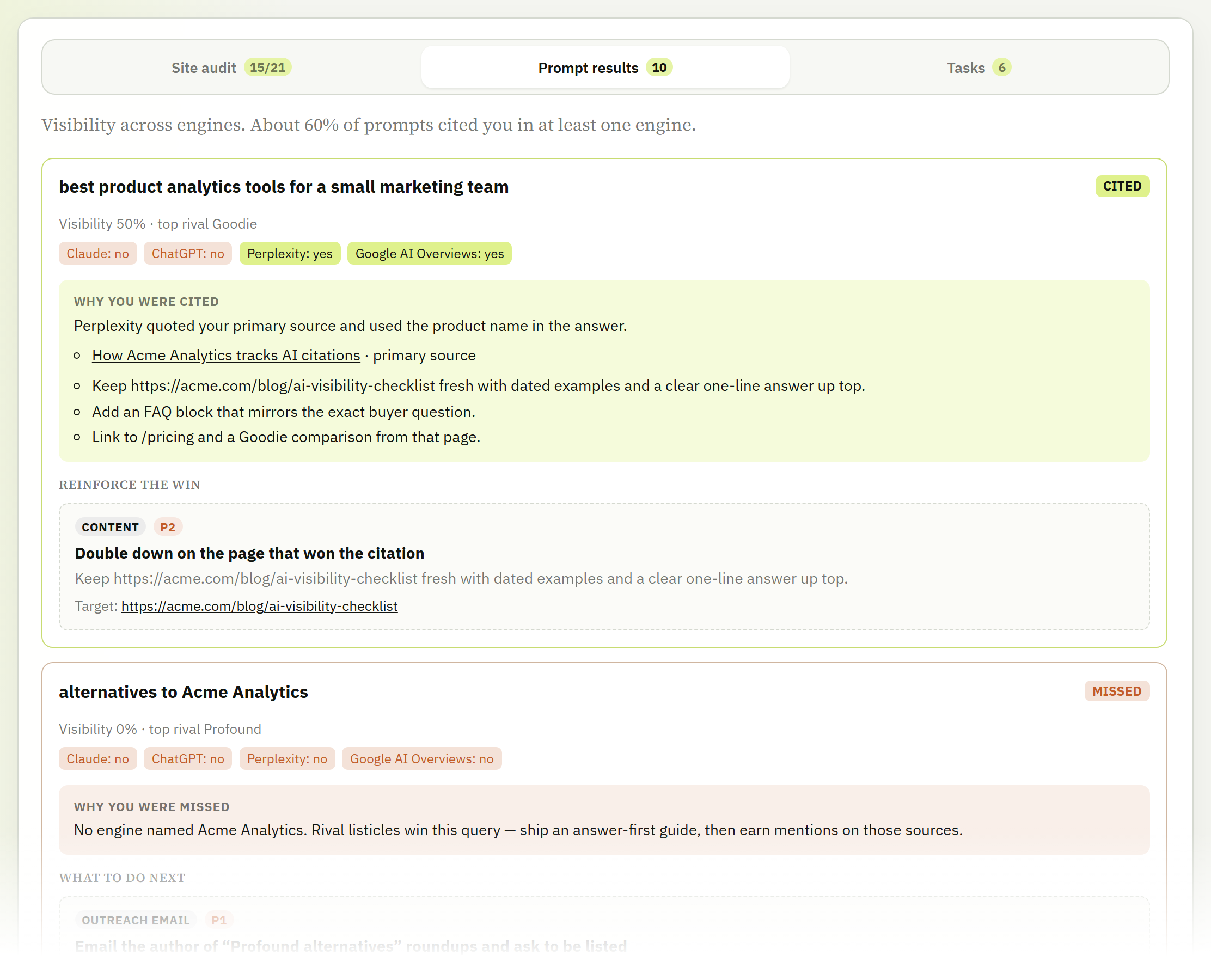
The questions you track, each marked Cited or Missed, with a breakdown for ChatGPT, Perplexity, Claude, and Google AI Overviews.
You choose the prompts. We suggest a starting set from your domain, and you edit it before the first run.
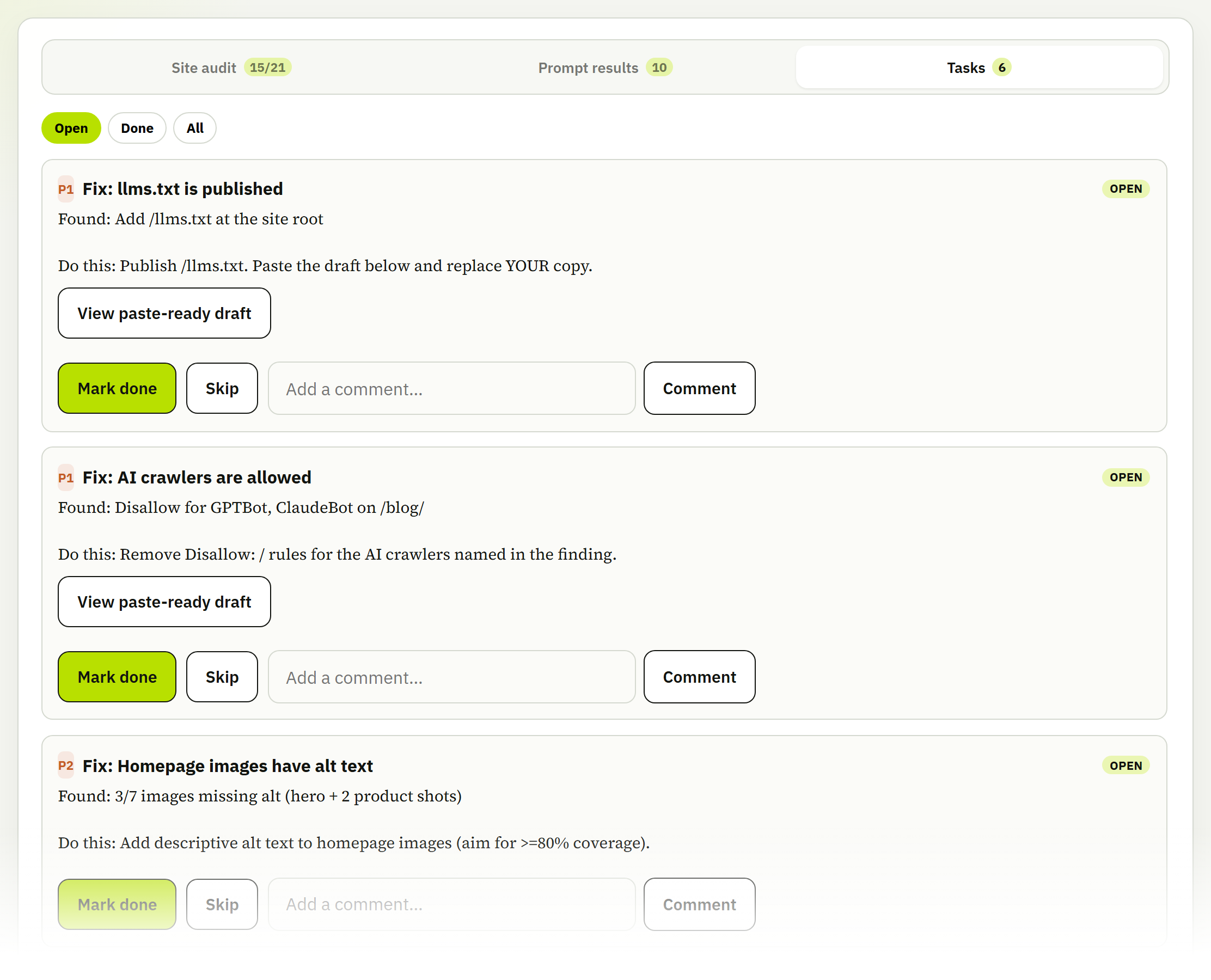
Every failed check and every lost prompt becomes a task, ranked P1 or P2. Each one shows Found (the evidence) and Do this (the fix), with links to any broken URLs.
Add domains up to your plan limit, set the prompts for each, and pause a domain to free its slot.
Every account is a workspace. Add teammates by email as owner, admin, or member. Members can read everything; admins and owners can change settings.
Upgrade, downgrade, or cancel from the Billing screen. Upgrades apply right away; downgrades and cancellations take effect at the end of the billing period.
We cut each of these because none of them help you decide what to change this week.
AI answers are noisy day to day. Weekly runs give you a signal you can act on instead of alerts you learn to ignore.
We give you the brief and a draft; you publish the page. Mass-published generated copy adds a thin-content problem to a visibility problem.
No script on your site and no tag manager ticket. Everything we check is fetched from the public web.
We're in private beta and onboarding a small number of teams. Once you're invited, your first report costs $2 plus taxes, and you only subscribe if it's useful.